

ArtColleX

Photo effects, portrait retouch and AI masks for photographers. A Windows app that works with Photoshop and Lightroom Classic. เอฟเฟกต์ภาพ รีทัชพอร์ตเทรต และ AI mask สำหรับช่างภาพ โปรแกรมบน Windows ที่ทำงานร่วมกับ Photoshop และ Lightroom Classic

14 days, every feature. Your photos stay on your computer.ทดลอง 14 วัน ใช้ได้ทุกฟีเจอร์ ภาพของคุณไม่ถูกส่งออกจากเครื่อง

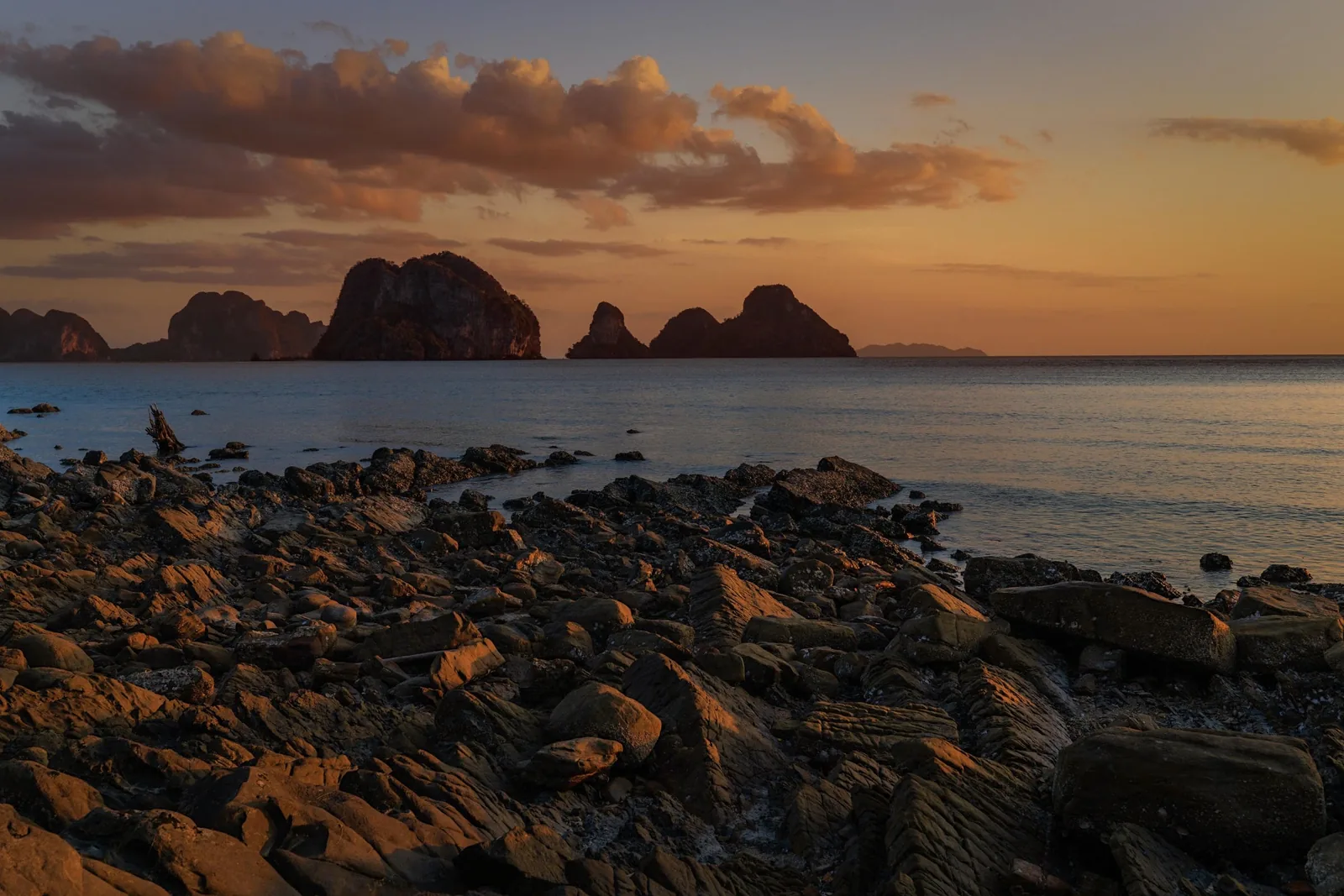
Longtail boat on a mudflat at sunset, edited with the Seascape preset in ArtCollex
Beforeก่อน Afterหลัง

Drag across the picture. Real photos, edited only in ArtCollex with built-in presets.ลากบนภาพเพื่อเทียบ ภาพจริงที่แต่งใน ArtCollex ด้วย preset ที่มากับโปรแกรมเท่านั้น

Two studios, one appสองโหมด ในโปรแกรมเดียว

Palette for colour and light. Muse for people.Palette สำหรับสีและแสง Muse สำหรับภาพบุคคล

Switch between them at the top of the app. Every filter, mask and preset works in both.สลับได้ที่ด้านบนของโปรแกรม filter, mask และ preset ใช้ร่วมกันได้ทั้งสองโหมด

ArtColleX Palette

Landscape and colour finishing, the way Nik-style filters work: stack filters, mask where they apply, save the look as a preset.แต่งสีและแสงภาพวิวแบบ filter ซ้อนชั้น เลือกพื้นที่ที่ต้องการด้วย mask แล้วบันทึกเป็น preset ไว้ใช้ซ้ำ

  • 50+ filters: detail, contrast, tone, colour, film, B&Wfilter กว่า 50 แบบ: รายละเอียด คอนทราสต์ โทน สี ฟิล์ม ขาวดำ
  • Detail Extractor and StructureDetail Extractor และ Structure
  • Control points, ellipse and gradient masksControl point, mask วงรีและไล่ระดับ
  • AI sky and depth masksAI mask ท้องฟ้าและระยะลึก
  • Corner Fix for vignettingCorner Fix แก้ขอบมืด
  • Imports Color Efex presetsนำเข้า preset ของ Color Efex ได้
ArtColleX Muse

Natural portrait retouching from AI face and body points. It works on your real pixels and never invents a new face.รีทัชภาพบุคคลแบบเป็นธรรมชาติ AI หาตำแหน่งหน้าและตัว แล้วแต่งจากภาพจริง ไม่สร้างหน้าใหม่ขึ้นมาแทน

  • Auto Beauty that reads each faceAuto Beauty ที่ปรับตามแต่ละหน้า
  • Skin smoothing, tone, blemish removalผิวเนียน ผิวขาวใส ลบสิวและจุด
  • Face shape: slim, V-line, eyes, nose, chinปรับหน้า: เรียว วีไลน์ ตา จมูก คาง
  • Body shape: longer legs, slim, push brushปรับหุ่น: ขายาว ผอม แปรงดัน
  • Makeup: blush, liner, brows, lips, hair colourแต่งหน้า: บลัช อายไลเนอร์ คิ้ว ปาก สีผม
  • Background blur that keeps the person sharpเบลอฉากหลัง ตัวคนยังคมชัด
AI masksAI mask

Sky and foreground, each with its own look. No brushing.ท้องฟ้ากับฉากหน้า แต่งแยกกันได้ ไม่ต้องระบาย mask เอง

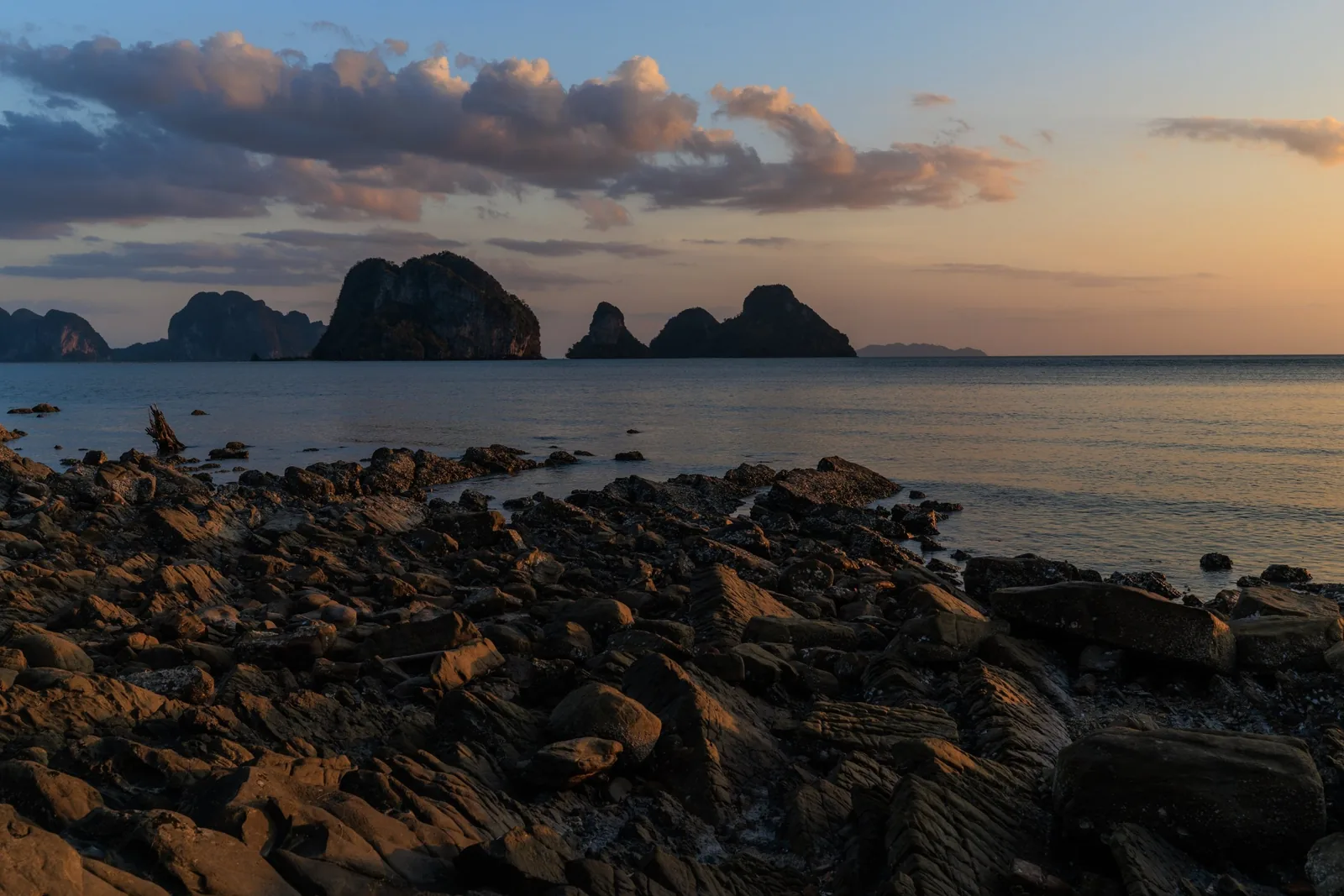
The AI finds the sky and measures how far away every part of the photo is. Each filter is then limited to the part you choose, with soft edges around islands and the horizon.AI หาท้องฟ้าและวัดว่าแต่ละส่วนของภาพอยู่ใกล้หรือไกลแค่ไหน แล้ว filter แต่ละตัวจะทำงานเฉพาะส่วนที่เลือก ขอบรอบเกาะและเส้นขอบฟ้าเนียนเอง

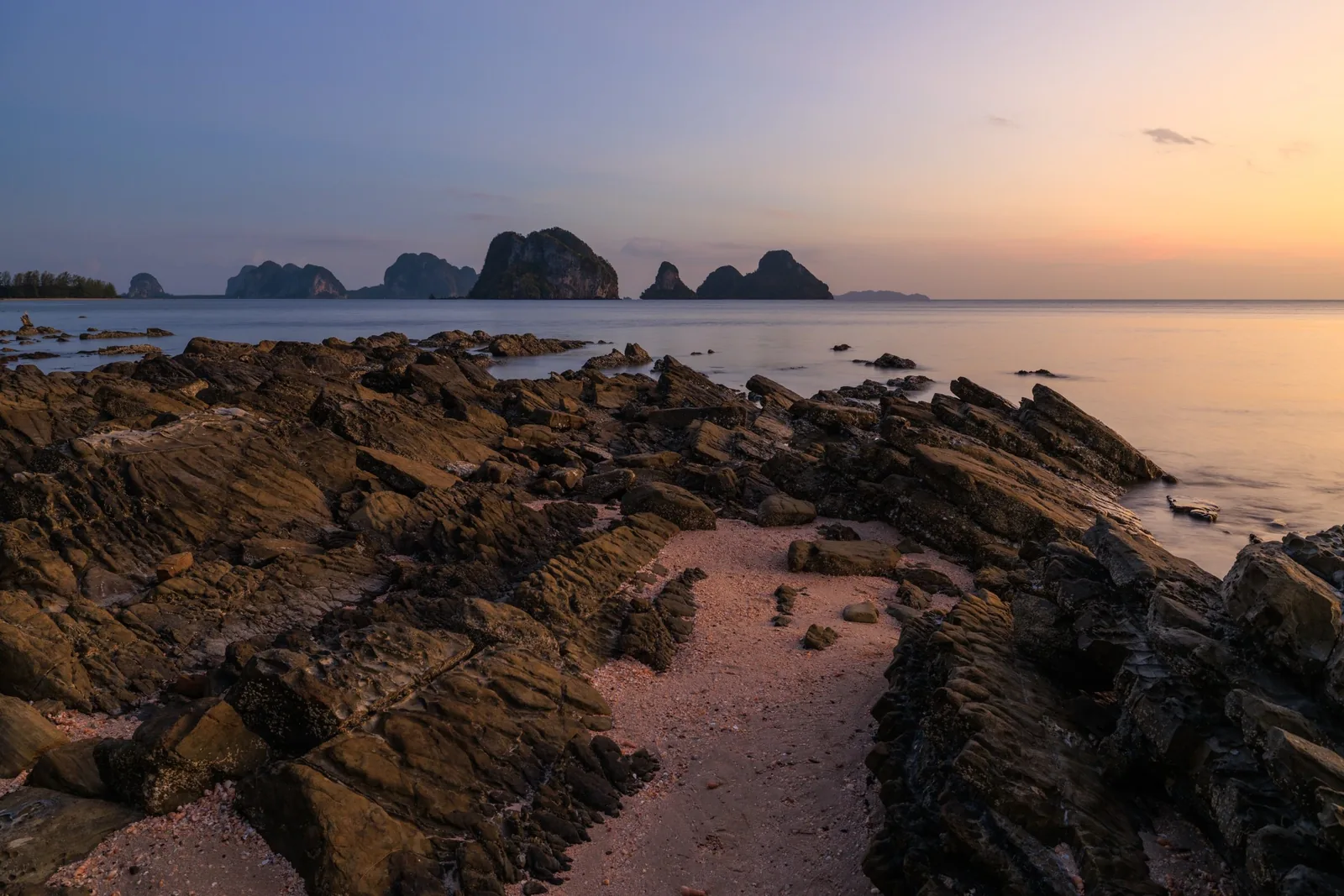
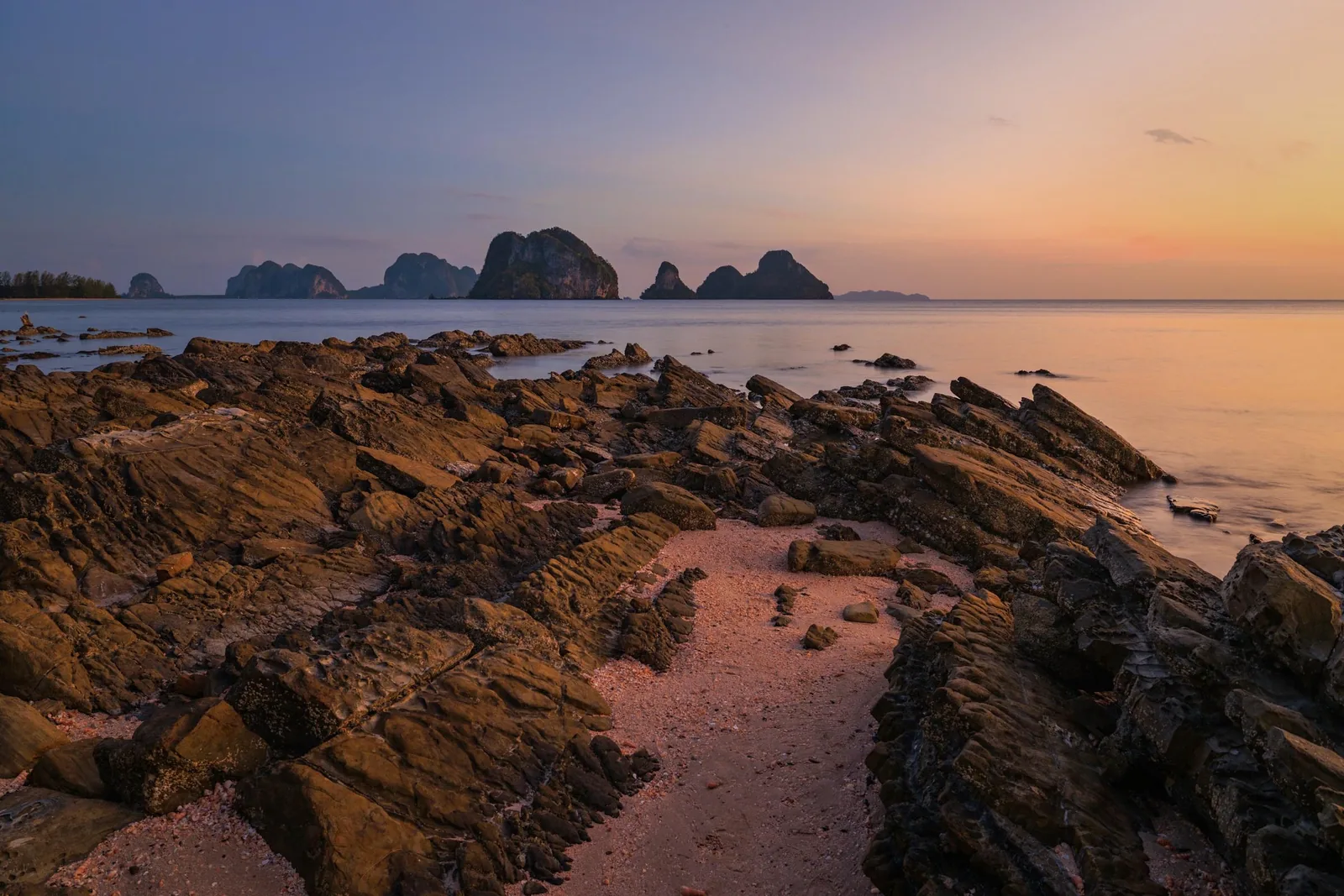
Karst islands at sunset with a rocky foreground, sky and foreground edited separately in ArtCollex
Beforeก่อน Afterหลัง
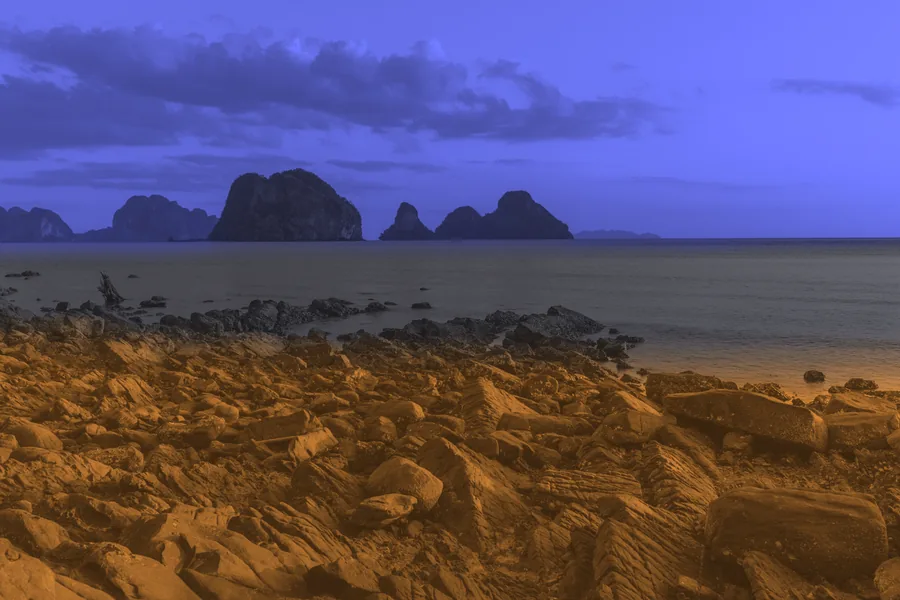
The masks the AI found: the sky in violet, the near foreground in amber
Skyท้องฟ้า · Sunset Graduated + Dramatic Sky
Near rocks (depth)โขดหินระยะใกล้ (ระยะลึก) · Mountain Grit + Golden Hour
Sea and islandsทะเลและเกาะ · left as shotคงไว้ตามต้นฉบับ

All photos by Lens of Art Photography, edited in ArtCollex Palette.ภาพทั้งหมดโดย Lens of Art Photography แต่งด้วย ArtCollex Palette

Where you already editใช้ร่วมกับโปรแกรมที่คุณใช้อยู่

Out of Photoshop, back as a layer.ส่งจาก Photoshop กลับมาเป็น layer ใหม่

Photoshop

Pick a preset in the panelเลือก preset จาก panel

The ArtCollex panel opens your visible image in the app with that preset already applied. Apply & Return adds the result as a new layer, in one history step.panel ของ ArtCollex ส่งภาพที่เห็นอยู่ไปเปิดในโปรแกรมพร้อม preset ที่เลือก กด Apply & Return แล้วผลลัพธ์กลับมาเป็น layer ใหม่ ย้อนกลับได้ในขั้นเดียว

ArtCollex Palette · Golden Hour
Lightroom Classic

Edit In ArtCollexEdit In ด้วย ArtCollex

Set it once as an external editor. Lightroom hands over a 16-bit copy, and the edited copy appears next to the original.ตั้งเป็น External Editor ครั้งเดียว Lightroom ส่งไฟล์ 16-bit มาแต่ง แล้วไฟล์ที่แต่งเสร็จจะอยู่ข้างภาพต้นฉบับ

IMG_2048-Edit.tif
On its ownใช้เดี่ยว ๆ

Open, edit, saveเปิด แต่ง บันทึก

Open JPEG, TIFF or PNG and save to a new file: JPEG, PNG or 16-bit TIFF with your colour profile and EXIF kept. The original is never overwritten.เปิด JPEG, TIFF หรือ PNG แล้วบันทึกเป็นไฟล์ใหม่ (JPEG, PNG หรือ TIFF 16-bit) คงโปรไฟล์สีและ EXIF ไว้ ไม่เขียนทับต้นฉบับ

Muse · Auto Beauty
Under the hoodเบื้องหลัง

Fast on your graphics card. Private on your computer.เร็วด้วยการ์ดจอ และเป็นส่วนตัวบนเครื่องของคุณ

GPU · Auto

Uses your graphics card when it has a good one, and the CPU when it does not.ใช้การ์ดจอเมื่อมีการ์ดที่ดีพอ ถ้าไม่มีจะใช้ CPU แทนให้เอง

Local AI

Sky, depth, person and face models run on your machine. No upload, no account, no per-image fee.AI หาท้องฟ้า ระยะลึก ตัวคน และใบหน้า ทำงานในเครื่อง ไม่ต้องอัปโหลด ไม่ต้องสมัครบัญชี ไม่เสียเงินต่อภาพ

16-bit · Full res

Edits render tile by tile at full resolution, so 100% zoom is sharp on big files.แต่งที่ความละเอียดเต็มทีละส่วน ซูม 100% ยังคมชัดแม้ไฟล์ใหญ่

Non-destructive

Every filter stays editable until you apply. Presets save the whole stack.ทุก filter แก้ไขได้จนกว่าจะ apply และ preset บันทึกทั้ง stack ไว้

Pricingราคา

Palette and Muse in every plan.ได้ทั้ง Palette และ Muse ทุกแพ็กเกจ

Try everything free for 14 days, AI tools included. Then pick a plan.ทดลองใช้ฟรีทุกฟีเจอร์ 14 วัน รวมเครื่องมือ AI แล้วค่อยเลือกแพ็กเกจ

Standard

$29999฿ onceครั้งเดียว
59฿ / เดือน
  • Palette and Muse, every filter and presetPalette และ Muse ทุกฟิลเตอร์และ preset
  • AI masks: sky, depth, people, faceAI mask: ท้องฟ้า ระยะลึก คน ใบหน้า
  • Photoshop panel and Lightroom Classic Edit InPanel Photoshop และ Edit In จาก Lightroom Classic

2 computers · free updates for every 1.x versionใช้ได้ 2 เครื่อง · อัปเดตฟรีทุกเวอร์ชัน 1.x

ใช้ได้ 1 เครื่อง · จ่ายผ่านบัตร ยกเลิกได้ตลอด

Start with the free trialเริ่มจากทดลองใช้ฟรี ซื้อเลย → Buy now →

Pro AI

$491,990฿ onceครั้งเดียว
89฿ / เดือน
  • Everything in Standardทุกอย่างใน Standard
  • AI Denoise — clean high-ISO noise at full resolutionAI Denoise — ลด noise ภาพ ISO สูงที่ความละเอียดเต็ม
  • AI Sharpen — fix shake and motion blurAI Sharpen — แก้ภาพเบลอจากกล้องสั่นและวัตถุเคลื่อนที่
  • New AI tools as they comeเครื่องมือ AI ตัวใหม่ที่จะเพิ่มเข้ามา

2 computers · free updates for every 1.x versionใช้ได้ 2 เครื่อง · อัปเดตฟรีทุกเวอร์ชัน 1.x

ใช้ได้ 1 เครื่อง · จ่ายผ่านบัตร ยกเลิกได้ตลอด

Start with the free trialเริ่มจากทดลองใช้ฟรี ซื้อเลย → Buy now →
Have Standard? Upgrade to Pro for $20.มี Standard อยู่แล้ว? อัปเกรดเป็น Pro 990฿ จ่ายรวมเท่ากับซื้อ Pro ตั้งแต่แรก
Version 2 and later major versions: about half price for owners.เวอร์ชัน 2 และรุ่นใหญ่ถัดไป: ผู้ที่ซื้อขาดอัปเกรดได้ในราคาประมาณครึ่งหนึ่ง
Pay by Visa or Mastercard in US dollars. Thai baht prices with PromptPay and monthly plans are on the Thai page.จ่ายซื้อขาดได้ทั้ง PromptPay และบัตร · รายเดือนจ่ายผ่านบัตร
Requirementsความต้องการของระบบ
Systemระบบ
Windows 10 / 11, 64-bit
Photoshop
2023 (24.4) or later — panel and Edit Photo2023 (24.4) ขึ้นไป — panel และ Edit Photo
Lightroom
Lightroom Classic, as an external editorLightroom Classic ผ่าน External Editor
Graphicsการ์ดจอ
Optional; used automatically when presentไม่บังคับ ถ้ามีจะใช้ให้อัตโนมัติ
Filesไฟล์
JPEG, TIFF (8/16-bit), PNG
FAQ
Are my photos uploaded anywhere?ภาพของฉันถูกอัปโหลดไปที่ไหนไหม

No. Editing and the AI masks run on your computer.ไม่ การแต่งภาพและ AI mask ทำงานในเครื่องของคุณทั้งหมด

Does Muse generate a new face?Muse สร้างหน้าใหม่ขึ้นมาไหม

No. It finds the face and body, then reshapes, smooths and colours the real pixels, so the person still looks like themselves.ไม่ Muse หาตำแหน่งหน้าและตัว แล้วปรับรูปทรง เกลี่ยผิว และแต่งสีจากภาพจริง คนในภาพจึงยังเป็นตัวเขาเอง

Is there a Mac version?มีเวอร์ชัน Mac ไหม

Not yet. ArtCollex runs on Windows.ยังไม่มี ตอนนี้ ArtCollex ใช้ได้บน Windows

What does the trial include?ทดลองใช้ได้อะไรบ้าง

Everything, AI Denoise and AI Sharpen included, for 14 days. After that, a Standard or Pro license key keeps saving and Apply & Return working.ทุกฟีเจอร์รวม AI Denoise และ AI Sharpen นาน 14 วัน หลังจากนั้นใส่ license key แบบ Standard หรือ Pro เพื่อบันทึกไฟล์และใช้ Apply & Return ต่อ

ArtCollex app icon

Try ArtCollex free for 14 daysทดลองใช้ ArtCollex ฟรี 14 วัน

Windows installer, plus the Photoshop plugin.ตัวติดตั้ง Windows และ plugin สำหรับ Photoshop

Installingวิธีติดตั้ง

  1. Open ArtCollex-Setup.exe from your Downloads folder.เปิดไฟล์ ArtCollex-Setup.exe ในโฟลเดอร์ Downloads
  2. If a blue “Windows protected your PC” window appears, click More info, then Run anyway.ถ้ามีหน้าต่างสีฟ้า “Windows protected your PC” ขึ้นมา ให้กด More info แล้วกด Run anyway
  3. Follow the installer. ArtCollex opens from the Start menu.ทำตามขั้นตอนของตัวติดตั้ง แล้วเปิด ArtCollex จากเมนู Start
  4. Photoshop plugin: double-click the .ccx file; Creative Cloud installs it. The ArtCollex panel is then under Plugins.Plugin Photoshop: ดับเบิลคลิกไฟล์ .ccx แล้ว Creative Cloud จะติดตั้งให้ panel ArtCollex จะอยู่ในเมนู Plugins

Why the blue window? Windows shows it for new apps from small developers that it has not seen many times yet. It is not a virus warning, and it goes away as more people install ArtCollex.ทำไมมีหน้าต่างสีฟ้า? Windows จะขึ้นหน้าต่างนี้กับโปรแกรมใหม่จากผู้พัฒนารายเล็กที่ยังมีคนติดตั้งไม่มาก ไม่ได้แปลว่าเจอไวรัส และจะหายไปเองเมื่อมีคนติดตั้ง ArtCollex มากขึ้น

Illustration — “Run anyway” appears after you click “More info”.ภาพประกอบ — ปุ่ม “Run anyway” จะขึ้นหลังจากกด “More info”